FEC booking and POS software

Every attraction in one cart. Every order on the kitchen screen.

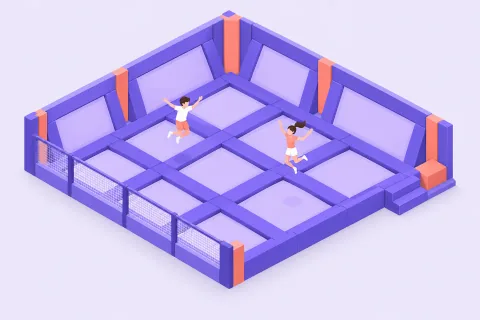
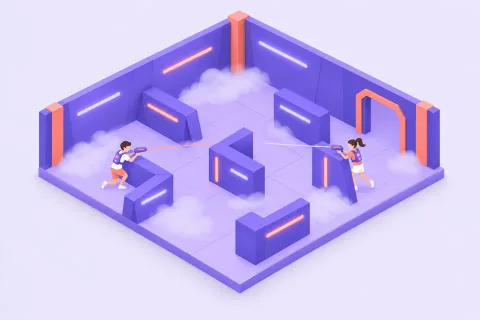
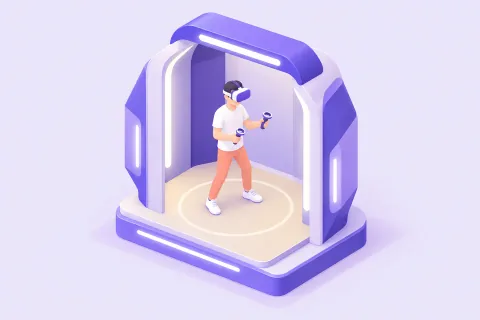
Trampolines, laser tag, mini golf and the café under one roof. Each attraction keeps its own capacity and guests pay once. Pro sends food orders to the right kitchen station.

Plans from USD 250/month60-day free trialno card

Meet Funhouse Central, a demo venue. Book something.

Funhouse CentralReservory hosted checkout
Saturday, November 28180 min
guests
2
  • Every attraction in one cart
  • Kitchen bump screens on Pro
  • School and company groups

What changes

What changes for family entertainment centres.

Today

A system per attraction

Guests pay three times and nobody sees the whole visit.

With Reservory

One cart for the venue

Guests book several attractions and add-ons in one checkout. The register sells the same products at the desk.

Today

Kitchen tickets on paper

Orders get lost between the counter and the grill.

With Reservory

Bump screens per station

On Pro, food orders go from the register to the right kitchen station, timed from the moment they land.

Today

School trips by email

Quotes, deposits and headcounts in an inbox.

With Reservory

Groups, quotes and packages

Keep schools and companies in the CRM and send quotes. Sell the trip as a package to take a deposit, with reminder emails and a pay link for the balance.

Today

No idea who comes back

Each attraction knows its own guests. Nobody knows yours.

With Reservory

One guest record

Every booking, order and waiver lands on the same guest, so reporting and segments cover the whole venue.

Mobile ordering · Pro

Order without leaving the table

A branded QR menu, modifiers, shared tabs and split payments. Kitchen progress updates on the guest’s phone.

12:41●●● ▰
F
Funhouse CentralOrder at your table
12
Table 12 · Kitchen open

Stay for another round.

Good food. More time together.

Table 12 · No app download
One table. One connected order.

From their phone
to your kitchen.

Guests scan a table QR. The same order appears at the right preparation station.

Kitchen passPro
#214Mobile · Table 12

Waiting for the guest’s order

Place an order on the phone to follow it here.

Kitchen screens and optional routed printer copies. Staff can manage mobile tabs from the register.

Menu & modifiersShared tabs & split paymentsMobile sales in your reports

Point of sale

Every attraction, one cart

Bowling, laser tag, game cards and pizza in one sale at the counter.

FunhouseFront counter · Till 1
● OnlineAL · Alex
All productsSaturday · Demo
Current saleWalk-in
JEJordan EllisGuest attached · FUN-58CT

Choose a session, scan a product or add something from the café.

GST included A$0Total A$0Simulated sale · nothing is charged
Admissions · retail · food · stored value

Bump screen · Pro

Pizza to the right station

Orders land on the kitchen screen, timed from the moment they arrive. Tap to bump.

KitchenBump screen · Counter4 open
#2131:05Till 2
#2123:08Online · FUN-B9CT

Pre-ordered

#2116:12Till 2
#2109:08Till 1
On screen or on paper.

Counter and mobile orders route to configured kitchen and bar stations. Staff can inspect delivery status and reprint a docket when needed.

A day on Reservory

A school holiday,
zone by zone.

  1. Open

    Holiday hours come from a schedule layer. Every zone is live.

  2. School group

    Forty kids on one booking. Check them all in at once.

  3. Lunch rush

    On Pro, orders split across the grill and the drinks station.

  4. Family of five

    Jump, laser tag and a combo meal in one cart.

  5. Numbers

    Every attraction and the café in one report.

Family entertainment

Family entertainment: common questions.

More on pricing, or explore the product tour.

Can each attraction have its own capacity?

Yes. Each product has its own sessions and capacity. Products that share a space can point at one room so its capacity is counted across all of them.

Do guests check out once for several attractions?

Yes. Guests add several attractions and add-ons to one cart and pay once.

Can guests order food from their table?

Yes, on Pro. Guests scan the QR code on their table to order and pay from their phone, or run a shared table tab and split the bill. Counter food sales are included in Lite and Pro; kitchen bump screens are included in Pro.

Does the register work if the internet drops?

Only with the Reservory venue service set up on your network, which is available after setup. With it, cash sales of tickets set aside for it and check-in of existing guests who have signed their waivers keep working offline and sync in order when the connection returns. Without it, the register needs a connection. Card payments always need one.

Admit one · your venue

Every attraction,
one set of numbers.

Set up your first attraction, sell yourself a ticket and see it land on the dashboard. No card, no call.

Plans from USD 250/month · 60-day free trial · no card

Start free for 60 days
  • No card to start
  • No automatic charge without subscribing
  • Monthly or annual billing
  • Full data export any time

Rather see it with someone? Request a walkthrough.

Reservory for family entertainment60 days free · no card

Start free